No developer or designer
The campaign landing is ready in 2 minutes. Your time goes to traffic and creatives, not to mockup revisions.
Цей сайт доступний українською мовою.
Українська версіяDescribe the client’s business — the AI builds a unique page with copy, design and a lead form while you set up the campaign. No developer, no designer, no week of waiting.
per landing for a new client
your cost per landing
landings in one dashboard
landing pages created on the platform
Layout work eats the time better spent on traffic. GetLanding builds the campaign page while you set up the ad account.
The campaign landing is ready in 2 minutes. Your time goes to traffic and creatives, not to mockup revisions.
The AI generates the design and copy for the client’s business instead of dropping their name into a template.
Generation costs $9, upkeep about $9 a month. How much to charge the client is up to you.
Built-in CRM, email and Telegram notifications, export to CSV or Excel. Showing the client what the campaign delivered gets easier.
Connect the client’s domain and the platform issues the SSL certificate automatically. Or start on a free subdomain.
When the project is done, transfer the landing to the client’s account — from then on they pay the upkeep. A transfer costs $9.
No mockups, no layout work, no rounds of edits with a developer.
Tell the AI what the client told you in the brief.
The bonus covers your first landing, so it is free.
Niche, offer, benefits, photos. All your clients’ landings live in one dashboard.
Connect the client’s domain, add a pixel — and start the traffic. Leads go to the CRM.
See real examples of landing pages for events, product businesses and mobile apps, built on the GetLanding platform.

A landing page for live business breakfasts that spark new connections, ideas and opportunities. The site presents the event format, the meeting announcement, benefits and registration.
View site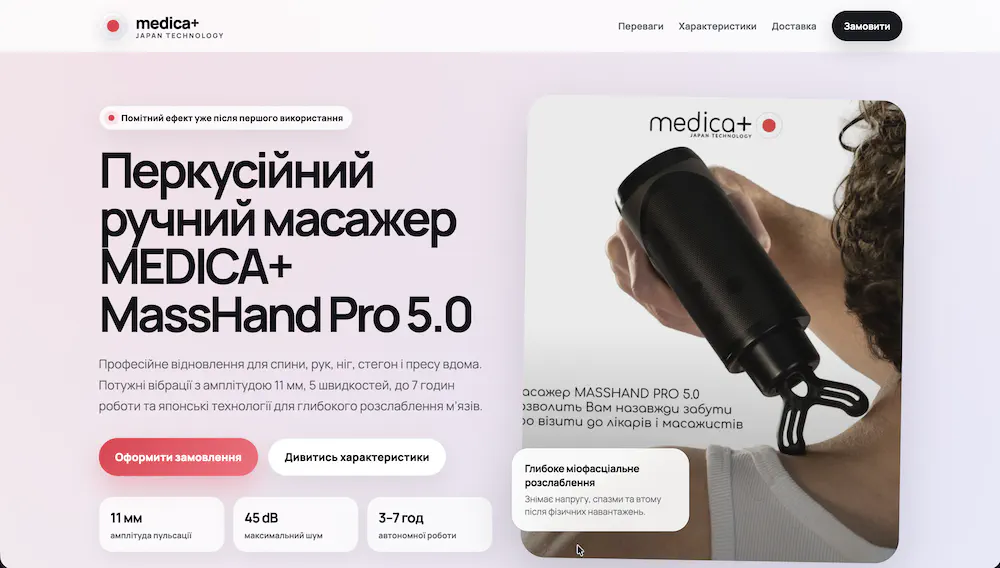
An example promo landing for selling a percussive handheld massager: a strong first screen, a clear product presentation, specs, benefits and a focus on fast checkout.
View siteHere we collect reviews from entrepreneurs and teams who have already built their pages with GetLanding.
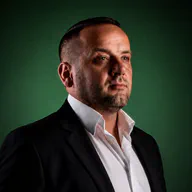
Entrepreneur (DEPAVÁ), business-breakfast host, blogger. An ambassador of networking culture in Ukraine. A bit of an athlete and a musician.
When the girls saw my landing page, they immediately asked how much it costs and how long it takes. When I told them — they were shocked. A couple of minutes, a few dollars — and a ready site you can show clients. It really works!

A product-business entrepreneur who launches promo pages to sell physical goods and test advertising hypotheses.
For product sales speed decides everything: you need to validate an offer fast, launch ads and get the first leads. GetLanding helped me put together the page for MEDICA+ MassHand Pro 5.0 without a designer or a developer — it looks professional, and the launch took minimal time.
Creating a landing costs $9, keeping it live — $0.30 a day. How much to charge the client is up to you.
One-off, per generation. If the generation fails, nothing is charged.
About $9 a month. You pay only for the days the landing is published.
Charged once after a successful generation. If the generation fails, nothing is charged and retrying is free.
Once a day for every live landing. Switch a landing off and it is not charged; the data is kept.
Charged once when you transfer a landing to the client’s account. If the client declines the transfer, the money is refunded.
Credited once your email is confirmed. Covers your first landing and one AI edit.
Pay in advance with a prepaid pack and pay only for landings you create and keep live. Your first landing is covered by the $12 bonus.
Yes, there is no limit on landings per account. Each landing has its own leads, domain and settings.
Start the transfer in the dashboard and the client confirms it by email. The landing then moves to their account and they pay the upkeep. A transfer costs $9; if the client declines it, the money is refunded.
Yes: describe the change and the AI applies it ($3 per edit), or edit the page code manually.
Adult (18+) content and any form of fraud are prohibited.
$9 to create it and about $9 a month while it is live. Your first landing is covered by the $12 bonus.
Yes. Add the code to the page manually or ask the AI to do it for you.
Yes. By default a landing gets a free subdomain, and you can connect your own domain in the dashboard. The platform issues the SSL certificate automatically.
To the built-in CRM in your dashboard and to your email. You can also connect Telegram notifications, send leads to SalesDrive and export them to CSV or Excel.
Sign up, get a $12 bonus and try GetLanding on a real project without buying a pack.
Signing up takes a minute. Describe the client’s business — and in 2 minutes you get a page ready for the campaign.
Create a landing for free