Speed
Describe your landing topic on the platform — and the AI instantly assembles the structure, copy, visual accents and ready CTA blocks.
Цей сайт доступний українською мовою.
Українська версіяDescribe your business — the AI generates a site with copy, design, SEO metadata and a lead form, ready to run ads.
from idea to a ready landing page
per landing with copy, design and a lead form
sign-up bonus — your first landing is free
landing pages created on the platform
GetLanding removes the unnecessary steps and helps you validate ideas, launch ads and collect leads faster.
Describe your landing topic on the platform — and the AI instantly assembles the structure, copy, visual accents and ready CTA blocks.
Every page is generated for your niche, target audience and offer — without templated sameness.
Design, responsiveness, a basic SEO structure, hosting readiness and a lead form — in one service.
This is what it looks like in the dashboard: you describe the business, the AI builds the site, and leads from its form land in the CRM.
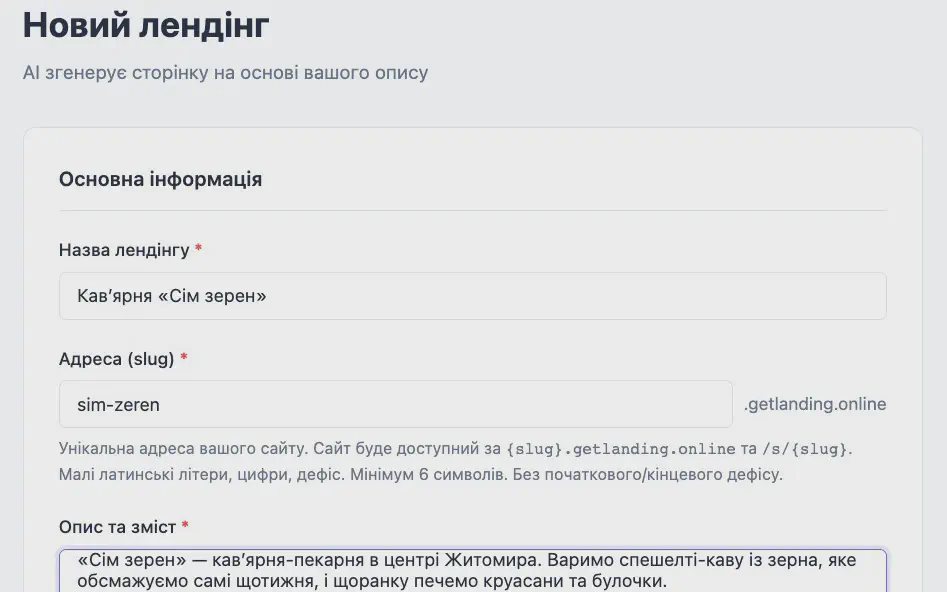
A name, a site address and a description in plain words: who you are, who it is for, prices and what a visitor should do. Photos are optional.
“Sim Zeren” is a café-bakery in the centre of Zhytomyr. We brew specialty coffee from beans we roast ourselves every week… The main action on the site: book a table or order pastries for a celebration.
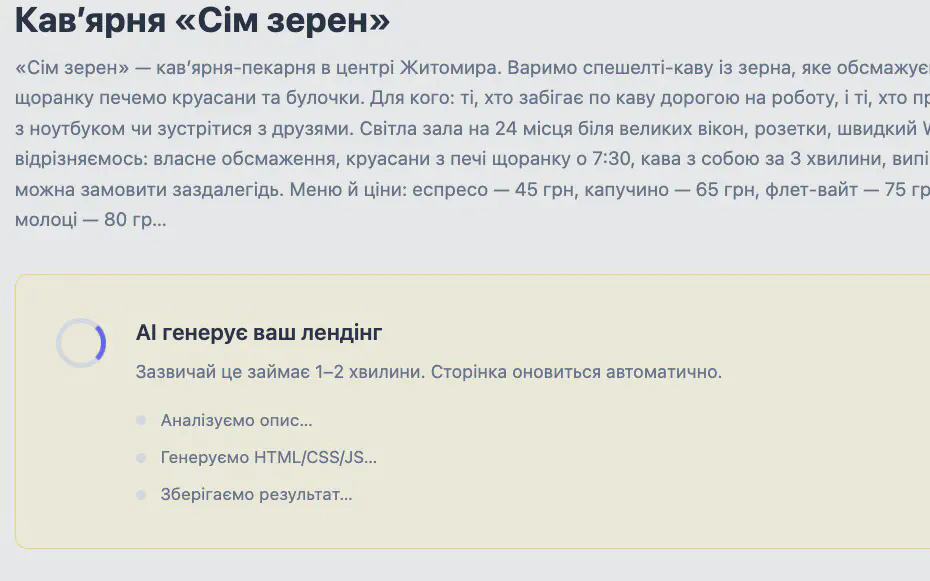
The AI builds the structure, copy, design and lead form from your description in 1–2 minutes. The page refreshes by itself, and you are charged only if generation succeeds.

Copy, a menu with prices and your photos are already on a page with its own subdomain address. You can send the link to customers or use it in ads right away.
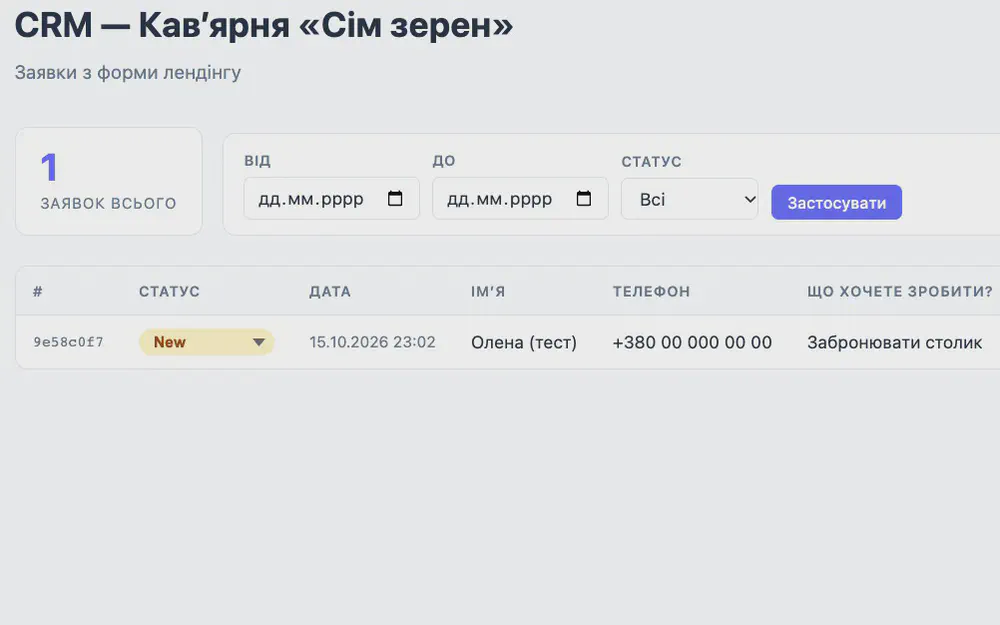
The site form works from the start: leads land in the dashboard CRM, are copied to email and, if you wish, arrive in Telegram.
Demo example: the “Sim Zeren” café from our video lesson; the screens are the real GetLanding dashboard with its Ukrainian interface. Watch the whole process in the video lesson (in Ukrainian)
Your first landing is covered by the sign-up bonus.
See real examples of landing pages for events and product businesses, built on the GetLanding platform.
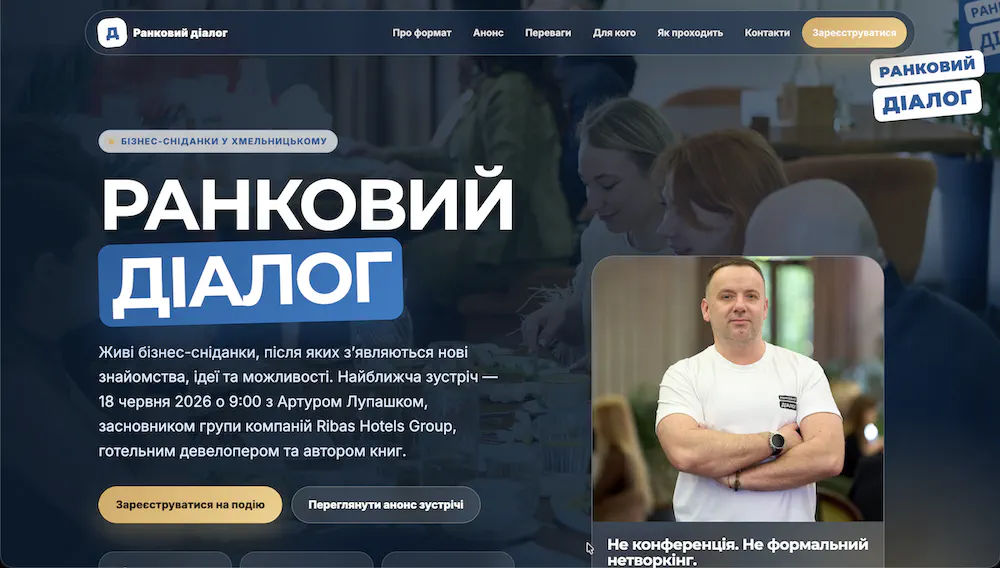
A landing page for live business breakfasts that spark new connections, ideas and opportunities. The site presents the event format, the meeting announcement, benefits and registration.
View site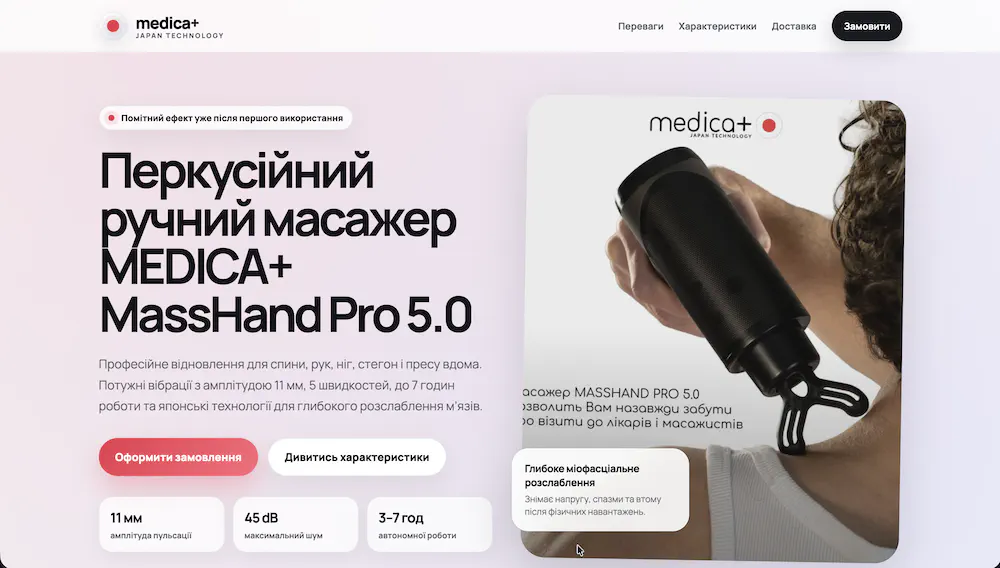
An example promo landing for selling a percussive handheld massager: a strong first screen, a clear product presentation, specs, benefits and a focus on fast checkout.
View siteHere we collect reviews from entrepreneurs and teams who have already built their pages with GetLanding.

Entrepreneur (DEPAVÁ), business-breakfast host, blogger. An ambassador of networking culture in Ukraine. A bit of an athlete and a musician.
When the girls saw my landing page, they immediately asked how much it costs and how long it takes. When I told them — they were shocked. A couple of minutes, a few dollars — and a ready site you can show clients. It really works!

A product-business entrepreneur who launches promo pages to sell physical goods and test advertising hypotheses.
For product sales speed decides everything: you need to validate an offer fast, launch ads and get the first leads. GetLanding helped me put together the page for MEDICA+ MassHand Pro 5.0 without a designer or a developer — it looks professional, and the launch took minimal time.
Fresh platform updates and practical guides on landing pages and ads.
Your dashboard now shows how many people visit your landing page, where they come from, which ads bring visitors and which ad every lead came from. …
September was a busy month. In short: GetLanding now works right inside your AI assistant’s chat, the platform has a public API for integrations …
If Claude or ChatGPT is already part of your working day, you can now use GetLanding there too. Describe your business in the chat and the assistant …
You pay from a UAH balance only for what you use: creating a landing, AI edits and the days a landing is live. Your first landing is covered by the bonus.
Credited once you confirm your email. It covers your first landing and one AI edit — no top-up needed.
Charged once after a successful AI generation. If generation fails, nothing is charged, and a retry via “Try again” is free.
Describe the change in words and the AI applies it via “Edit with AI”. Charged only for a successful edit; editing the code by hand is free.
Charged once a day for each published landing. If the balance runs out, the landing is deactivated automatically and the data is kept.
Top up your balance with any amount by card, Google Pay or Apple Pay, or by bank transfer to the sole proprietor’s account, including under a contract. No subscription fee: you are charged only for creation, AI edits and the days your landings are live.
We gathered the essentials about launching, pricing, editing, leads and domains in GetLanding.
Click the “Create a landing for free” button, sign up, confirm your email and create a new landing in your dashboard.
AI generation takes 2 minutes once you have entered the name, address, business description and, optionally, added photos. This time is the same across all page-generation steps.
The site name and URL (in Latin letters), a description of your business or services, and optionally photos (a logo, product photos or yourself). It also helps to think through the desired style and colours — the AI will take your preferences into account.
Creating a landing costs 135 UAH, one AI edit — 45 UAH. Daily upkeep of an active landing is 4.5 UAH per day, i.e. about 135 UAH a month. Your first landing can be created with the sign-up bonus.
You top up your account balance in UAH — as a one-off payment, with a monthly subscription, or with a promo code — and the cost of services is deducted from the balance: 135 UAH for creating a landing, 45 UAH per AI edit, 4.5 UAH per day for an active landing. On sign-up you get a welcome bonus — enough to create your first landing page and run one AI edit.
Yes, everything can be changed: the name, content, photos, colours, structure. Click “Edit with AI”, describe what you want to change, and click “Apply changes”. One successful AI edit costs 45 UAH; editing the code by hand is free.
The lead form is embedded into the created landing. When a visitor fills it in, the data appears in the built-in CRM in your dashboard, is duplicated to email and can be sent as a notification to a Telegram bot.
By default the site gets a free subdomain on the platform. You can also connect your own domain (for example, your-name.com).
Yes. After your address is opened for the first time, the platform automatically obtains an SSL certificate — no extra steps needed.
You can edit the page code manually or ask the AI to add your code.
Leads arrive by email and in the built-in CRM in your dashboard. You can additionally connect new-lead notifications to a Telegram bot to react instantly. Need other integrations — write to us and we will set them up quickly.
There is no limit.
You can edit the page code manually or ask the AI to add your code.
The AI will generate the site in whatever language you ask for.
Adult (18+) content and any forms of fraud are prohibited.
By card, Google Pay, Apple Pay, and also to the entrepreneur’s bank account. Provision of services under a contract is possible. Besides one-off top-ups there is a subscription — a monthly payment that tops your account balance up automatically; you can set it up or cancel it on the top-up page in your account.
GetLanding works right in your dashboard: there you create the page, run AI generation, edit the site and manage leads.
Sign up, get a welcome bonus and build your first landing page in 2 minutes for free.
Create a landing for freeQuestions before you start? Message us on Telegram